Mornings Used to Feel Like a Chaotic Information Hunt
For the longest time, my mornings looked the same. I’d wake up, grab my phone, check the weather, get distracted by notifications, remember I needed traffic updates, open another app, then somehow end up reading headlines about something completely unrelated while my coffee got cold.
It wasn’t exactly the productive start to the day I imagined.
The funny thing is that smart home technology can solve a lot of this without requiring some ridiculously expensive setup. Once I finally put together a hands-free morning routine that automatically delivers weather updates, traffic conditions, and personalized news playlists, mornings felt noticeably calmer.
Not perfect. I still occasionally hit snooze one too many times. But at least I’m not frantically jumping between apps before I’ve even had caffeine.
Start by Thinking About What Information You Actually Need
A mistake many people make is trying to automate everything.
More information doesn’t always create a better morning. Sometimes it just creates noise.
Before setting up automations, ask yourself what you genuinely need before leaving the house.
For most people, it comes down to three things:
- Current weather conditions.
- Traffic or commute updates.
- Relevant news or daily briefings.
That’s it.
You don’t necessarily need stock market reports, sports scores, seven calendars, and a random collection of motivational quotes all fighting for your attention before breakfast.
Keep the routine focused and useful.
Choose One Smart Assistant as the Control Center
This is where things become much easier.
Whether you’re using a smart speaker, smart display, or voice assistant on your phone, pick one ecosystem to act as the central hub for your morning routine.
Trying to build separate automations across multiple platforms usually turns into unnecessary maintenance later.
I’ve learned this lesson more than once.
What feels flexible at first eventually becomes confusing when something breaks and you’re trying to remember where the automation actually lives.
A single control center keeps everything organized.
Let the Weather Report Happen Automatically
Weather is one of those small things that can completely change your day.
A surprise rainstorm can ruin a commute. A sudden temperature drop can leave you regretting your wardrobe choices halfway through the morning.
Instead of checking a weather app manually, create an automation that reads the forecast aloud at a specific time.
Most smart assistants allow weather briefings as part of a scheduled routine.
The ideal update usually includes:
- Current temperature.
- Expected high and low temperatures.
- Rain probability.
- Severe weather alerts.
Short and practical.
Nobody needs a five-minute meteorology lecture before they’ve brushed their teeth.
Add Traffic Updates Based on Your Actual Schedule
Traffic reports become far more useful when they’re tied to your departure time rather than a generic morning update.
For example, if you normally leave for work at 7:30 AM, schedule the traffic briefing ten or fifteen minutes beforehand.
That timing gives you enough notice to adjust plans if roads are congested or if an accident has caused delays.
What surprised me most was how much stress this removed.
There’s something reassuring about hearing, “Your commute is expected to take 22 minutes,” instead of anxiously checking maps every few minutes while getting ready.
Tiny improvement. Noticeable difference.
Build a News Playlist That Doesn’t Drain Your Energy
This part matters more than people realize.
The first information you consume each morning tends to shape your mood.
If your news feed is a constant stream of outrage, panic, and endless negativity, that’s a rough way to start the day.
A better approach is creating a curated news playlist that focuses on sources you genuinely trust.
Many smart home platforms allow you to combine multiple news providers into a single briefing.
You can choose:
- General news updates.
- Technology news.
- Business headlines.
- Local news reports.
- Industry-specific briefings.
Personally, I prefer a shorter update. Around five minutes feels right.
Long enough to stay informed. Short enough that it doesn’t feel like homework before sunrise.
Use Smart Speakers to Create a Natural Flow
One thing I didn’t appreciate until later was how much sequence matters.
The order of information affects how the routine feels.
A simple flow often works best:
- Good morning greeting.
- Weather forecast.
- Traffic update.
- Calendar overview.
- News playlist.
- Background music.
It feels surprisingly natural.
Like having a personal morning assistant who knows exactly what information you need without making things overly complicated.
Don’t Forget About Background Music
This might be my favorite part.
After the practical information is delivered, having a playlist automatically start can completely change the atmosphere of a morning.
Not every day needs high-energy workout music.
Sometimes a calm playlist is enough.
Sometimes you need something upbeat because you stayed up far too late scrolling through your phone and now regret every decision that led to this moment.
We’ve all been there.
The point is to create an environment that helps you move through the morning instead of fighting against it.
Test and Adjust the Routine Over Time
Your first version probably won’t be perfect.
That’s completely normal.
Maybe the news segment is too long. Maybe the weather update feels repetitive. Maybe the traffic briefing arrives too early to be useful.
Small adjustments make a huge difference.
Think of your morning routine as something that evolves rather than something you set up once and never touch again.
The best automations are usually the result of several rounds of tweaking, simplifying, and removing things that sounded useful but weren’t.
The Real Goal Isn’t Automation—It’s a Better Start to the Day
People often get caught up in the technology itself.
The smart speakers. The routines. The integrations. The settings.
But none of those things are the actual goal.
The goal is creating a morning that feels less rushed and more intentional.
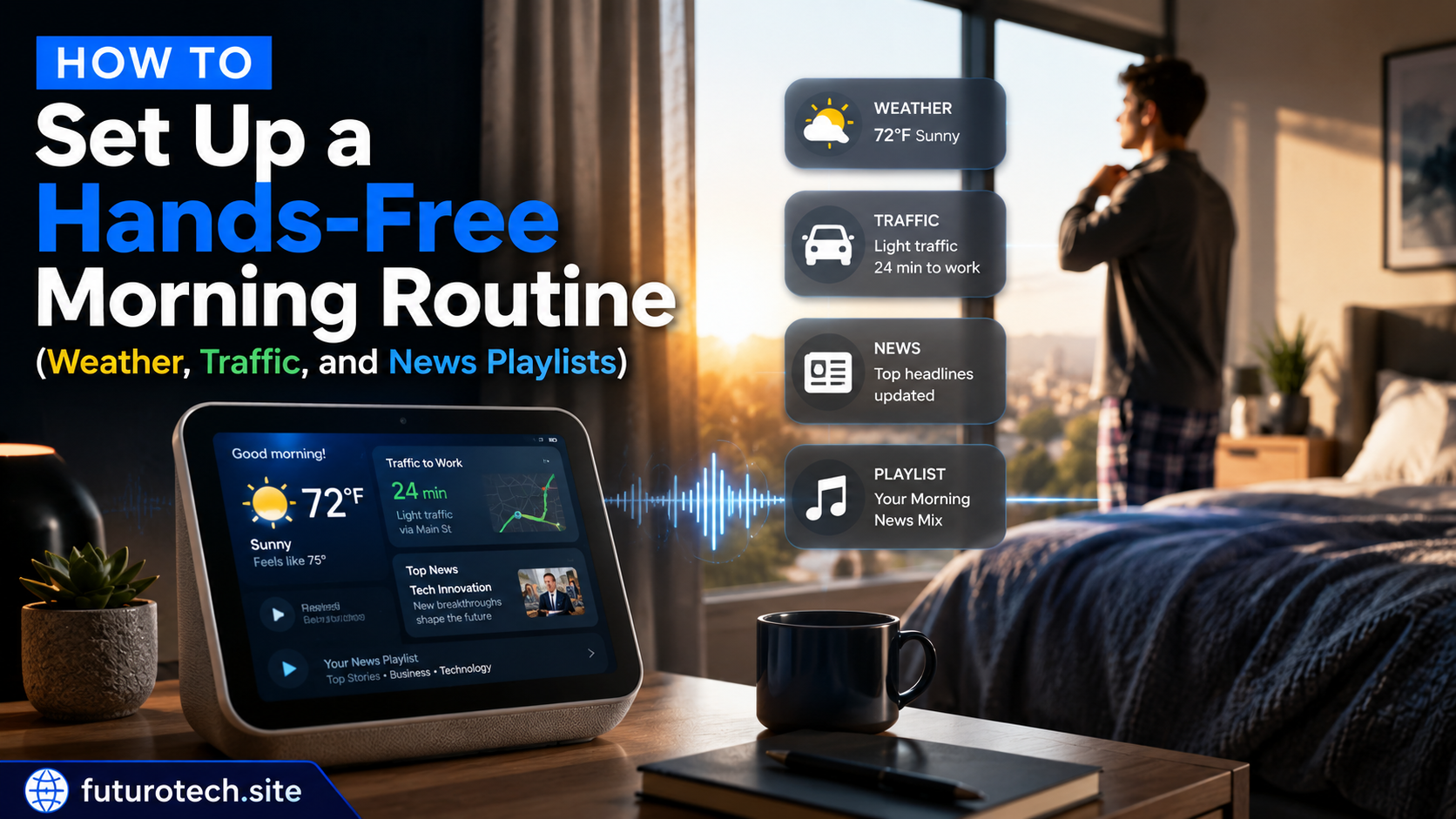
When weather updates arrive automatically, traffic information is ready when you need it, and your preferred news playlist starts without touching a screen, the entire morning feels smoother.
Not dramatically different.
Just easier.
And honestly, that’s what the best smart home routines do. They quietly remove little bits of friction from everyday life until you barely notice they’re there.
You simply wake up, start your day, and everything is already waiting for you.