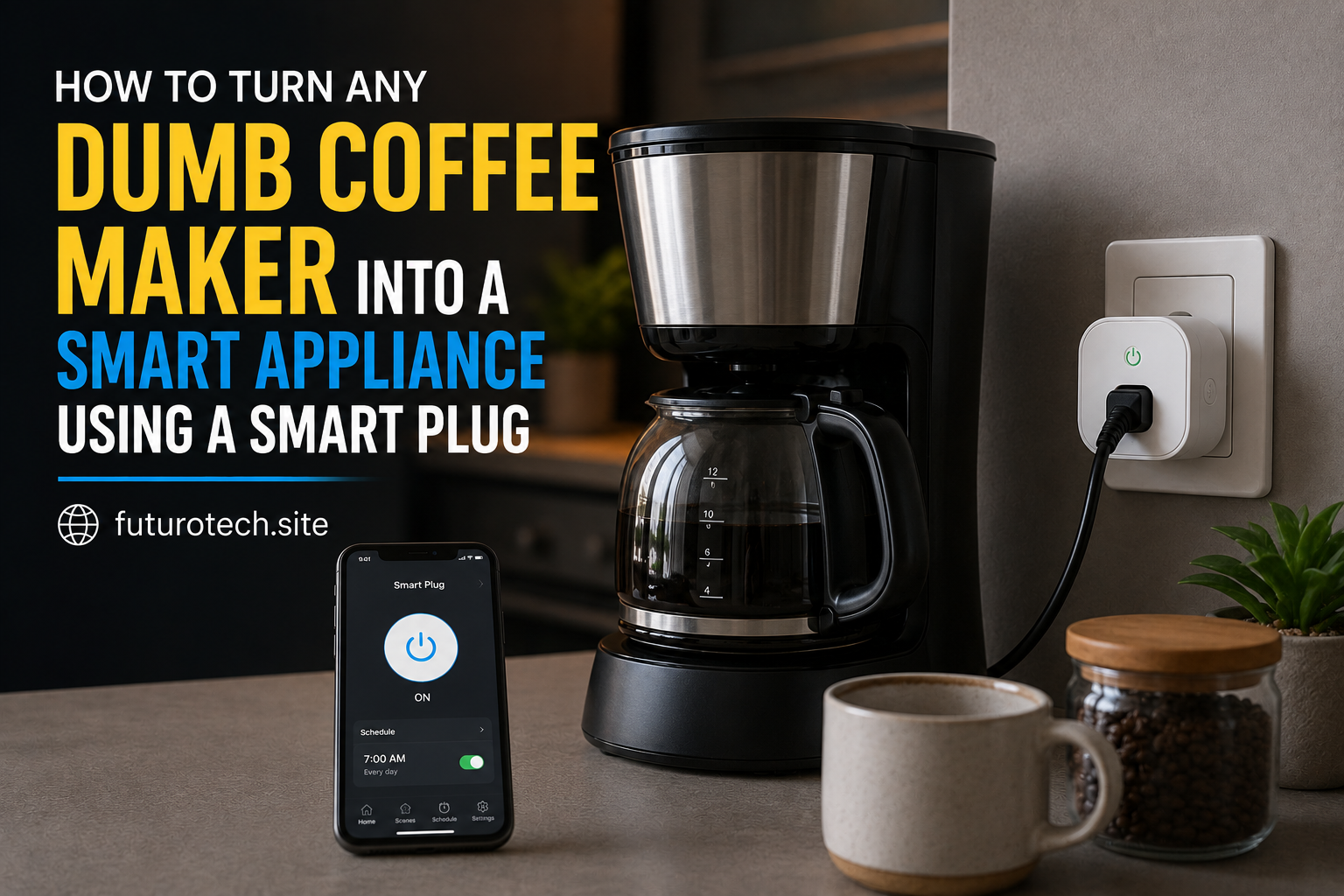
The Coffee Maker Upgrade I Did Not Think I Needed
There is something funny about smart home upgrades. The ones that sound the least exciting are sometimes the ones you end up appreciating the most.
A smart coffee maker sounds impressive, sure. It has apps, schedules, buttons, and probably a few features you will use once and forget about.
But what about the coffee maker you already own?
The one sitting on your kitchen counter that still works perfectly?
That is where a smart plug comes in.
With the right setup, you can add basic automation to a regular coffee maker without replacing it. It will not magically give your old machine a touchscreen or make it understand your voice, but it can handle simple power control routines that make mornings smoother.
And honestly, sometimes that is all you need.
First, Understand What a Smart Plug Can Actually Do
A smart plug does one main thing:
It controls the flow of electricity.
That means it can:
- Turn your coffee maker on.
- Turn your coffee maker off.
- Follow a schedule.
- Respond to smart home routines.
What it usually cannot do is press buttons on the coffee maker for you.
This is the part people sometimes miss.
If your coffee machine requires you to press a power button after electricity is restored, the smart plug will not bypass that. It only controls whether power reaches the device.
The coffee maker itself still needs to remember what to do when power comes back.
Check If Your Coffee Maker Works With This Setup
Before plugging anything in, test how your coffee maker behaves after losing power.
Try this:
- Turn the coffee maker on.
- Unplug it from the wall.
- Plug it back in.
- See what happens.
If it automatically starts heating or begins its brewing process after power returns, it is likely a good candidate.
If it stays off and waits for a button press, the smart plug will have limited usefulness.
This simple test can save you from buying a smart plug and wondering why your coffee never appears.
Choose a Smart Plug That Can Handle the Coffee Maker
Coffee makers are not all the same.
Some use very little power. Others, especially machines with heating elements, can draw much more.
Check:
- The smart plug’s maximum wattage rating.
- The coffee maker’s power requirements.
- Whether the plug supports the type of load.
Heating appliances deserve extra attention because they can place more demand on electrical components.
A smart plug should never be pushed beyond its limits just because the connection physically fits.
Set Up the Smart Plug With Your Coffee Maker
Once you know the setup is suitable, the installation is simple.
- Plug the smart plug into the wall outlet.
- Connect the coffee maker to the smart plug.
- Pair the smart plug with its mobile app.
- Give the device a clear name.
I recommend naming it something obvious.
“Coffee Maker” is better than “Kitchen Plug 1.”
Future you will appreciate not having to guess.
Create a Morning Coffee Schedule
This is where the setup becomes useful.
You can create a schedule that matches your morning routine.
For example:
- Turn on at 6:30 AM.
- Turn off after your normal coffee window.
The idea is that your coffee maker receives power at the right time so it can start its process automatically.
The schedule should match your actual habits, not some perfect morning routine you imagined once.
If you normally wake up at 7:15, setting everything for 5:00 AM might just leave you with cold coffee and disappointment.
Add a Voice Command for Extra Convenience
If your smart plug works with a voice assistant, you can add simple voice controls.
Examples:
- “Turn on the coffee maker.”
- “Turn off the kitchen plug.”
This is especially useful when you realize you forgot to turn something off while already walking away.
Small convenience, but these are the moments where smart home features actually earn their keep.
Create a Complete Morning Routine
Once the coffee maker is connected, you can build around it.
A simple morning routine might include:
- Turning on the coffee maker.
- Adjusting smart lights.
- Reading weather updates.
- Playing a morning playlist.
Suddenly the coffee maker is not just a single device.
It becomes part of a routine.
Things That Can Go Wrong
The Coffee Maker Does Not Start
This is usually because the machine does not automatically resume after power is restored.
The smart plug is working. The coffee maker simply needs manual input.
The Smart Plug Turns Off Too Soon
Adjust the schedule.
Some coffee makers need extra time to complete heating or brewing cycles.
The Smart Plug Disconnects
Check your Wi-Fi connection, app settings, and plug placement.
A weak network connection can make automations unreliable.
Think About Safety Before Leaving It Running
This part matters.
Not every coffee maker is designed to remain powered all day.
Check the manufacturer’s recommendations and avoid using damaged equipment.
Never ignore unusual smells, overheating, or electrical issues.
Automation is helpful, but it should still be paired with common sense.
The Real Benefit Is Not the Coffee, It Is the Routine
Turning an old coffee maker into a smart appliance is not about creating some futuristic kitchen.
It is about removing one small decision from your morning.
You wake up.
Your routine is already moving.
The machine is ready when you need it.
That tiny bit of convenience adds up, especially on those mornings when your brain is still loading and the idea of making coffee feels like a complicated project.
A smart plug will not transform every coffee maker into a high-tech machine.
But when your existing appliance works with it, the upgrade is surprisingly satisfying.