The Smart Lighting Mess That Happens After You Buy a Few More Bulbs
It usually starts with one smart bulb.
You install it, connect the app, change the color, play around with brightness settings, and think, “Okay, this is actually pretty cool.”
Then you buy another one.
Different room.
Different brand.
Different app.
Then another.
Before you know it, your phone has four different lighting apps, and turning off the lights feels like managing a small control room.
That is the annoying side of building a smart home slowly. Each device works fine by itself, but together they can become messy.
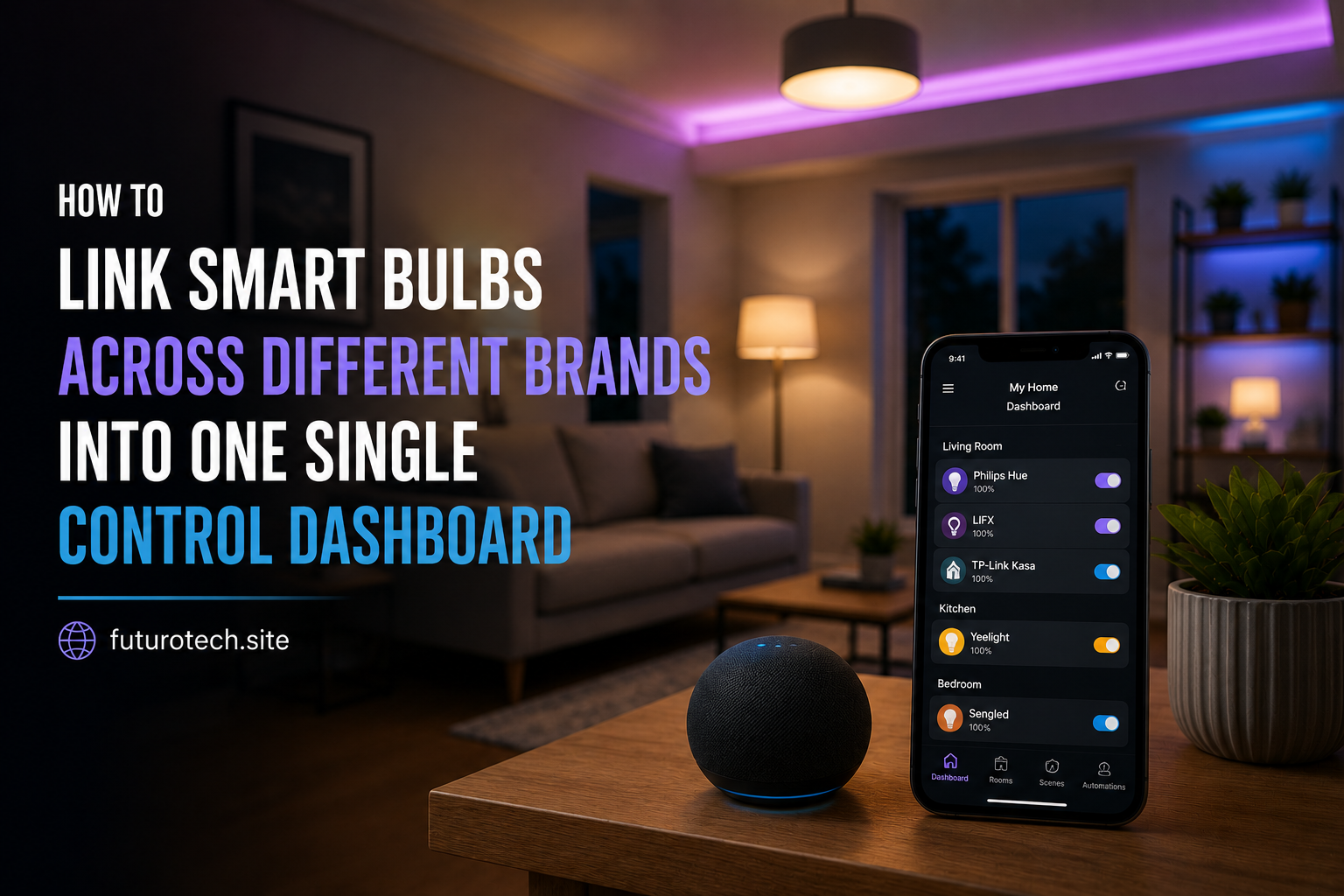
The good news is that you do not always need to replace everything with one brand. You can bring different smart bulbs together into one dashboard and control them from one place.
Understand Why Different Smart Bulb Brands Do Not Always Work Together
The reason this happens is simple.
Different smart bulb companies often create their own apps, cloud systems, and connection methods.
One bulb might use:
- Wi-Fi.
- Bluetooth.
- Zigbee.
- Another smart home communication system.
The bulb is not “broken” because another app cannot see it.
It is just speaking a different digital language.
A single dashboard works by acting as a middle layer that brings these different systems together.
Choose a Main Smart Home Platform First
The first decision is choosing where you want your lights to live.
Popular options include:
- Smart assistant platforms.
- Dedicated smart home hubs.
- Home automation dashboards.
The best choice depends on what you already use.
If your home already has a voice assistant, starting there is usually the easiest path.
If you enjoy more advanced automation, a dedicated hub may give you more control.
Check Whether Your Smart Bulbs Support Third-Party Integration
Before moving everything into one dashboard, check compatibility.
Look for support for:
- Smart home platforms.
- Voice assistants.
- Third-party integrations.
- Open automation systems.
Not every smart bulb can join every ecosystem.
This is the part where a quick compatibility check can save you a lot of time.
Connect Each Brand Through Its Own App First
A common mistake is trying to add every bulb directly into the new dashboard immediately.
Usually, the smoother approach is:
- Set up each bulb inside its original manufacturer app.
- Confirm the bulb works properly.
- Link that account to your main smart home platform.
The original app handles the initial setup.
The main dashboard becomes the place where you control everything afterward.
Link Your Smart Bulb Accounts Together
Most smart home platforms use account linking.
The process usually looks like:
- Open your main smart home app.
- Add a new device or service.
- Select the bulb brand.
- Sign into the bulb account.
- Allow access.
Once connected, your bulbs should appear inside the main dashboard.
You are not moving the bulbs.
You are giving the dashboard permission to control them.
Rename Your Bulbs Before Creating Automations
This small step makes a huge difference.
Different apps often use different names.
One app might call something:
“Bulb 01”
Another might call it:
“Living Room Lamp”
When everything comes into one dashboard, confusing names create confusion.
Use names based on location:
- Bedroom Ceiling.
- Kitchen Lights.
- Office Desk Lamp.
- Living Room Corner Lamp.
Clear names make voice commands and routines work much better.
Create Rooms Instead of Managing Individual Bulbs
This is where the dashboard starts feeling useful.
Instead of controlling ten separate bulbs, group them by room.
For example:
- Living room.
- Bedroom.
- Kitchen.
- Workspace.
Now one command can control multiple brands at once.
Your living room does not care whether one bulb is Brand A and another is Brand B.
The room simply changes.
Create Scenes for Different Moments
Scenes are one of the best reasons to combine smart bulbs.
Instead of adjusting every light manually, create presets.
Examples:
- Movie mode.
- Reading mode.
- Relax mode.
- Morning brightness.
- Night lights.
A good scene saves you from constantly tweaking settings.
Add Voice Control After Everything Works
Voice control is great, but it works best after your dashboard is organized.
Trying to set up voice commands with messy device names usually creates frustration.
Once everything is labeled properly, commands become simple:
“Turn off the bedroom lights.”
“Dim the living room lights.”
“Set movie mode.”
Common Problems When Combining Different Smart Bulb Brands
A Bulb Does Not Appear in the Dashboard
Check:
- The bulb works in its original app.
- The account was linked correctly.
- The bulb is online.
- The platform supports that brand.
The Bulb Responds Slowly
This can happen when commands travel through multiple systems.
Your request might go:
Dashboard → Brand service → Bulb
More steps can sometimes mean more delay.
One Brand Has Fewer Features
This is normal.
Some platforms support basic controls but not every advanced feature from the original app.
Color controls, effects, and special modes may still require the original app.
Consider a Local Smart Home Hub for Advanced Control
If you eventually build a larger smart home, a local hub can offer more flexibility.
Instead of relying completely on different cloud services, some setups process automations locally.
This can improve:
- Speed.
- Reliability.
- Customization.
It is not necessary for everyone, though.
For a few bulbs, a normal smart home dashboard is usually enough.
The Goal Is Not Owning More Apps
The whole reason for combining smart bulbs is simplicity.
You should not need to remember which app controls which room.
You should not need to think about brands every time you turn on a light.
A good smart lighting setup feels like one system, even when the devices came from different companies.
That is the real upgrade.
Not more technology.
Less hassle.